Custom CRM Development Services in Bangalore

Custom CRM Development Services in Bangalore | WebGi Solutions

Manage leads, strengthen customer relationships, and streamline your sales operations with CRM software designed around your business.

WebGi Solutions provides Custom CRM Development Services in Bangalore for startups, small and medium-sized businesses, and growing organizations that need more flexibility than a standard CRM can offer.

Whether you need a sales CRM, a customer management platform, a lead tracking system, or an AI-powered CRM solution, we help you plan software around your workflows, business goals, and existing systems. Our approach focuses on practical functionality, scalability, usability, and long-term business value.

From initial planning to development, integrations, and future enhancements, we help businesses explore CRM solutions that fit the way they work.

Build a CRM around your business, not the other way around.

What Is Custom CRM Software Development?

Customer Relationship Management (CRM) software helps businesses organize customer information, manage leads, track sales opportunities, record interactions, and maintain visibility across the customer journey.

Custom CRM software development involves designing and building a CRM application around your specific business requirements instead of relying entirely on predefined features in a ready-made platform.

For example: a B2B company

A B2B company may need a CRM with lead qualification, sales pipeline management, quotation tracking, and follow-up reminders.

For example: a healthcare organization

A healthcare organization may need patient enquiry management, referral tracking, appointment coordination, and communication workflows, subject to applicable privacy and regulatory requirements.

Service 1

Custom CRM Software Development

Our custom CRM software development approach focuses on creating a system that fits your sales process, customer lifecycle, and internal workflows.

Depending on your requirements, a custom CRM may include:

The objective is to give your team a practical, organized way to manage customer relationships without adding unnecessary complexity.

Service 2

CRM Application Development

A CRM application should make customer information accessible to the people who need it while keeping the interface straightforward to use.

Our CRM application development approach can cover browser-based CRM platforms, internal business applications, responsive interfaces, and mobile-friendly experiences, depending on project requirements.

We can plan features for sales representatives, managers, customer support teams, and administrators so each user can access relevant information and complete their tasks efficiently.

  • Browser-based CRM platforms
  • Internal business applications
  • Responsive interfaces
  • Mobile-friendly experiences
Sales representatives
Managers
Customer support teams
Administrators
Service 3

CRM Customization Services

Not every business needs to build an entirely new CRM from scratch. In some cases, customizing an existing platform is more practical.

CRM customization services can include:

  • Custom fields and data structures
  • Business-specific modules
  • Sales stages and pipeline rules
  • Automated notifications and task assignments
  • Custom reports and dashboards
  • User roles and permissions
  • Forms, templates, and approval workflows

We can help assess whether a custom-built CRM, an existing CRM with modifications, or a combination of platforms and integrations is the most suitable approach.

Custom-built CRM

Existing CRM with modifications

Platforms and integrations combined

Service 5

AI-Powered CRM Development

AI can make selected CRM workflows more useful when applied to clearly defined business problems.

Depending on the use case, AI-powered CRM development may include:

Summarizing customer interactions
Assisting with lead categorization
Drafting follow-up messages
Identifying patterns in sales activity
Supporting natural-language searches across permitted CRM data
Helping customer support teams find relevant information
Generating summaries for sales and account managers

AI features should be evaluated for accuracy, data access, privacy, cost, and human oversight. They should support your team rather than make unsupported promises about automatic sales growth.

  • Accuracy
  • Data access
  • Privacy
  • Cost
  • Human oversight
Service 6

CRM Workflow Automation

Manual follow-ups, repeated data entry, and missed task assignments can make customer management harder as a business grows.

CRM workflow automation can help standardize routine activities, such as:

Automation rules should reflect your actual business processes, with suitable controls for errors and exceptions.

  1. 01Assigning incoming leads to team members
  2. 02Creating follow-up tasks
  3. 03Sending reminders for pending opportunities
  4. 04Updating deal stages based on defined rules
  5. 05Notifying managers about overdue activities
  6. 06Triggering internal approval workflows
  7. 07Maintaining activity logs
Service 7

CRM Dashboard and Reporting Development

Business owners and sales managers need more than a list of contacts. They need useful information about the sales pipeline and customer activity.

A custom CRM dashboard can be designed around metrics such as:

New leads and lead sources
Lead response and follow-up status
Sales pipeline value
Open and won opportunities
Conversion rates between sales stages
Sales representative activity
Customer retention and account activity
Overdue tasks and pending approvals
Service 8

CRM Migration and Modernization

Businesses sometimes outgrow spreadsheets, older CRM platforms, or disconnected customer databases.

CRM migration and modernization can involve reviewing existing data, mapping fields, cleaning duplicate records, transferring relevant information, and validating the new system.

Spreadsheets, older CRMs, disconnected databasesDuplicates and gaps

Depending on the project, the work may include:

  • Data structure and field mapping
  • Duplicate and incomplete record review
  • Historical activity migration
  • Integration updates
  • User access review
  • Testing and data validation
  • Team onboarding and documentation

A migration plan should account for data quality, access permissions, downtime, and the possibility of incomplete or incompatible legacy records.

Industry-Specific CRM Software Solutions

A CRM should reflect how your industry acquires customers, manages relationships, and delivers services. WebGi Solutions can help plan industry-specific CRM requirements according to the project scope.

CRM for Startups and Small Businesses

Startups and small businesses often need a practical way to manage enquiries, track sales opportunities, schedule follow-ups, and maintain customer records.

A custom CRM can begin with essential features and expand as the business develops its sales process.

CRM for B2B and Professional Services

B2B companies may need longer sales pipelines, multiple contacts per account, quotation tracking, meeting histories, and approval workflows.

A tailored CRM can help sales and account management teams maintain visibility across these relationships.

CRM for Healthcare Organizations

Healthcare providers and healthcare-related businesses may need enquiry management, referral coordination, appointment-related workflows, or relationship management for business partners.

Healthcare CRM requirements must be distinguished from clinical systems such as electronic health records. Any solution handling sensitive health information needs appropriate privacy, security, access controls, and regulatory review for its intended markets.

CRM for Real Estate

Real estate businesses may require property enquiry tracking, agent assignments, site-visit scheduling, follow-up reminders, and deal-stage management.

A tailored workflow can help teams keep track of prospects across different stages of the buying or leasing process.

CRM for Education and Training

Educational institutions and training providers may need enquiry management, admissions follow-ups, course-interest tracking, and communication histories.

CRM workflows can help admissions and business development teams organize prospective student enquiries.

CRM for E-commerce and Service Businesses

E-commerce and service-based businesses may benefit from organized customer profiles, support histories, repeat enquiry tracking, and integrations with suitable sales or support systems.

The right CRM structure depends on your customer journey and the systems already in place.

AI-Powered CRM Development: What Can Be Automated?

AI and workflow automation can complement traditional CRM functionality when the use case is clear.

For example, a business could use an AI assistant to summarize a sales call, prepare a draft follow-up email, or help a representative find information from records they are authorized to access. Rules-based automation could then create a follow-up task or notify a manager.

Conventional automation

Rules-based steps such as creating a follow-up task or notifying a manager.

AI assistance

Summarizing a sales call, preparing a draft follow-up email, or helping a representative find information from authorized records.

Human control

Decisions where errors could affect customers, business decisions, or sensitive information.

These capabilities are different from a fully autonomous system that makes every sales decision. AI outputs should be checked where errors could affect customers, business decisions, or sensitive information.

During planning, WebGi Solutions can help identify which tasks are suitable for conventional automation, which may benefit from AI, and which should remain under human control.

Our CRM Development Process

A well-planned CRM project starts with business requirements, not a list of features copied from another platform.

  1. Step 1

    Requirement Discovery

    We identify your business objectives, existing workflow, user roles, current software, and the main problems the CRM should address.

  2. Step 2

    Scope and Solution Planning

    We define the required modules, integrations, data structures, permissions, reporting needs, and priorities. This helps establish a realistic project scope.

  3. Step 3

    UI/UX Design

    We plan screens and user journeys for everyday tasks such as creating leads, updating opportunities, recording interactions, and reviewing dashboards.

  4. Step 4

    CRM Development

    The application is developed according to the agreed scope. The implementation may include frontend interfaces, backend logic, databases, integrations, and access controls as required.

  5. Step 5

    Integration and Testing

    The team tests core workflows, data handling, permissions, integrations, and relevant error scenarios before deployment.

  6. Step 6

    Deployment and Handover

    The CRM is prepared for its intended environment, with appropriate configuration, documentation, and user onboarding according to the project agreement.

  7. Step 7

    Maintenance and Future Enhancements

    As business requirements change, the CRM may need bug fixes, security updates, new integrations, performance improvements, or additional modules. Ongoing support arrangements should be defined as part of the project scope.

Custom CRM vs Ready-Made CRM Software

Should you build a CRM from scratch or customize an existing platform? The answer depends on your requirements, budget, and long-term plans.

FactorCustom CRMReady-made CRM
FeaturesDesigned around defined business requirementsBased on the vendor's available features and plans
Custom workflowsCan be built for specific processesLimited by platform capabilities and customization options
Initial investmentMay require a larger upfront development budgetOften has a lower starting cost
Deployment timeDepends on scope and complexityCan be quicker to configure
IntegrationsCan be designed around required systemsDepends on available integrations and APIs
MaintenanceRequires a defined support and maintenance planVendor maintains the core platform
ScalabilityDepends on architecture, implementation, and budgetDepends on vendor plans and platform limitations

Which option should you choose?

Ready-made CRM

A ready-made CRM may be suitable if its existing features meet most of your requirements.

Custom CRM development

Custom CRM development may be worth considering when your workflows, integrations, data model, or business rules cannot be handled effectively by available products.

A third option

A third option is to customize an existing CRM and add specific integrations. Comparing all three approaches before committing can help you make a more informed decision.

How Much Does Custom CRM Software Development Cost in Bangalore?

The cost of custom CRM software development depends on what you want to build. A basic lead management application has different requirements from a multi-team CRM with complex integrations, AI features, advanced reporting, and extensive access controls.

A smaller project with a limited feature set may require substantially less work than an enterprise-grade CRM. For that reason, it is better to estimate the cost after understanding the requirements than to quote a single price that may not match your project.

When discussing your CRM project with WebGi Solutions, share your intended users, essential modules, existing software, required integrations, and approximate budget. These details help establish a more realistic scope and estimate.

Key cost factors include:

  • Number and complexity of modules
  • Number of user roles and workflows
  • UI/UX design requirements
  • Third-party integrations
  • Data migration and cleanup
  • AI features and associated usage costs
  • Security, privacy, and compliance requirements
  • Hosting, deployment, and maintenance needs

Who Should Consider Custom CRM Development?

Custom CRM development may be worth exploring if your business:

  • Manages leads through spreadsheets and manual follow-ups
  • Uses several disconnected tools for customer information
  • Needs a sales pipeline that matches its actual process
  • Requires specific integrations with existing business systems
  • Wants customized reports and dashboards
  • Has outgrown the features of its current CRM
  • Needs industry-specific workflows
  • Plans to introduce AI-assisted customer management

Blogs

Mastering UI & UX Design Strategy: Actionable Insights and Strategies from Our Experts

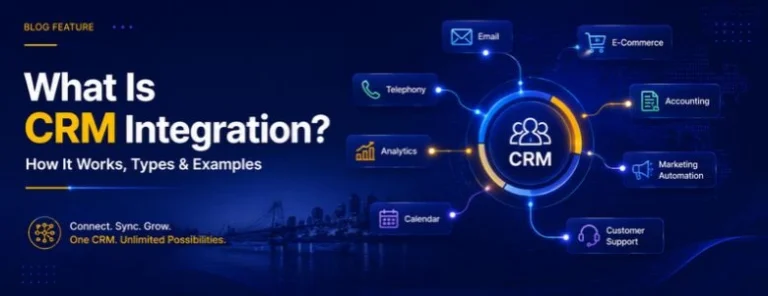
What Is CRM Integration? How It Works, Types & Examples

A CRM becomes much more useful when it can communicate with the other software your business already...

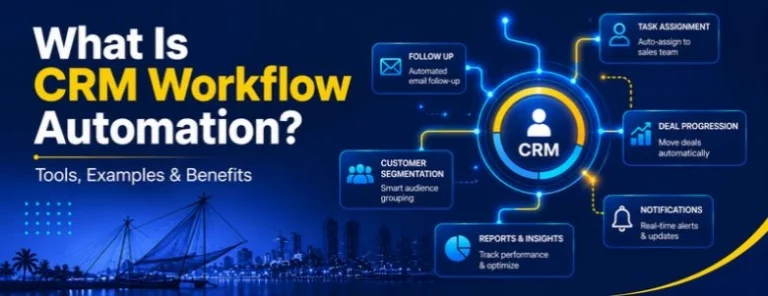
What Is CRM Workflow Automation? Tools, Examples & Benefits

Managing leads, customers, sales follow-ups, emails, and customer information manually can quickly...

Small Hospital Management Software: 5 Solutions to Consider in 2026

Running a small hospital involves many of the same challenges as a large healthcare facility, but...

Top 10 CRM for Small Business in 2026: Compare Free, Low-Cost and Custom CRM Options

Choosing a CRM is not simply about finding the software with the longest feature list. For a small...

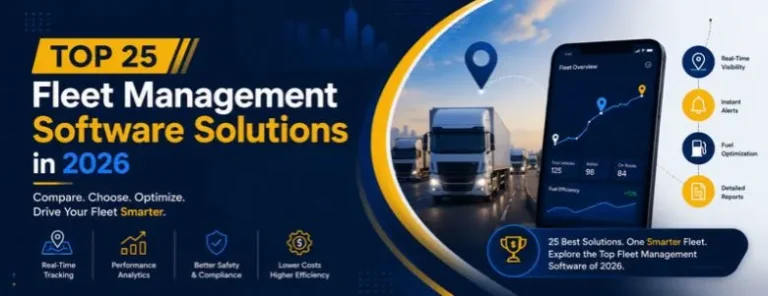
List of the 25 Best Fleet Management Software Solutions in 2026

Managing vehicles, drivers, fuel, maintenance, routes, and compliance becomes increasingly difficult...
×