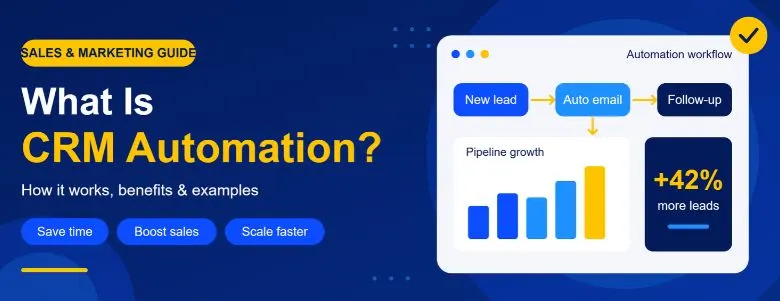
Managing customers manually becomes difficult as a business grows. A sales team may receive dozens of leads every day, send follow-up emails, update customer records, assign leads to different salespeople, schedule tasks, and track the sales pipeline at the same time.
When these activities are handled manually, small delays can create bigger problems. A sales representative may forget to follow up with a lead, a new enquiry may remain unassigned, or customer information may not be updated correctly.
This is where CRM automation helps.
CRM automation uses predefined rules, workflows, and software actions to automatically handle repetitive customer relationship management activities. Instead of asking employees to perform every task manually, an automated CRM can trigger the right action when a specific event occurs.
For example, when someone fills out a website enquiry form, a CRM automation system can automatically create a new contact, assign the lead to a salesperson, send an acknowledgement email, create a follow-up task, and update the sales pipeline.
In simple terms, CRM process automation helps a business move leads and customers through its sales and service processes with less manual work.
CRM automation uses workflows, triggers, conditions, and automated actions to manage repetitive sales, marketing, and customer tasks. It can automate lead capture, lead assignment, follow-ups, emails, pipeline updates, onboarding, and renewal reminders. Businesses can use CRM automation software such as HubSpot, Zoho CRM, Salesforce, Pipedrive, and Freshsales based on their specific needs.
Understanding CRM Automation
What Is CRM Automation?
CRM automation is the use of CRM software and automated workflows to perform repetitive sales, marketing, customer management, and follow-up tasks automatically.
CRM stands for Customer Relationship Management. A CRM system stores and manages information about prospects, customers, interactions, sales activities, and communication history.
CRM automation adds another layer to this system.
Instead of simply storing customer information, an automated CRM can use that information to perform actions automatically.
For example:
This entire sequence can happen automatically based on rules configured inside the CRM.
CRM automation can help automate:
- Lead capture
- Lead assignment
- Lead tracking
- Customer follow-up
- Email communication
- Sales tasks
- Appointment reminders
- Contact management
- Sales pipeline updates
- Customer onboarding
- Marketing activities
- Internal notifications
- Customer retention activities
- Reporting and CRM data updates
The goal is not to remove people from the customer relationship process.
The goal is to allow sales and marketing teams to spend less time on repetitive administration and more time communicating with customers.
At Webgi Solution, we treat automation as a way to support people, never to replace them. You can read about our team and our approach to see how we map a process before a single workflow is built. The same thinking applies when businesses look for a CRM development company in Kochi and want custom CRM solutions that match how they actually sell.
How Does CRM Automation Work?
At a basic level, a CRM automation workflow follows a simple logic:
A trigger starts the automation.
A condition determines what should happen.
An action is the task performed automatically by the CRM.
For example:
Trigger: A visitor submits a contact form.
Condition: The visitor requests a software development service.
Action: Create a lead, assign it to the sales team, send an acknowledgement email, and create a follow-up task.
This is the foundation of CRM workflow automation.
Example of an Automated CRM Workflow
Imagine a software company receives 50 enquiries every day.
Without automation, a sales employee may need to:
- Check the website for new enquiries.
- Enter each enquiry into CRM software.
- Assign the lead to a salesperson.
- Send an acknowledgement email.
- Create a reminder for follow-up.
- Update the sales pipeline.
- Track whether the salesperson contacted the lead.
With sales CRM automation, much of this process can happen automatically.
The workflow could look like this:
The salesperson can then focus on understanding the customer's requirements instead of performing administrative tasks.
Try it: simulate a new enquiry
Press the button to watch the workflow run from the first click to the final pipeline update.
- Website enquiry received
- CRM lead created
- Lead scored
- Salesperson assigned
- Welcome email sent
- Follow-up task created
- Pipeline updated
A CRM can only automate what it receives, so the forms and landing pages feeding it matter. Well-structured web development means every field maps cleanly into your CRM. Webgi Solution builds sites and CRM connections together, so a form submission arrives as a complete lead and not a messy email.
What Is a CRM Automation Workflow?
A CRM automation workflow is a predefined sequence of actions that a CRM performs when certain conditions are met.
Workflows can be simple or highly customized.
For example:
When a new lead enters the CRM, assign the lead to a salesperson and create a follow-up task.
A more advanced workflow could be:
When a lead downloads a pricing guide, check the lead's location and service interest, assign the appropriate sales representative, send a relevant email, and create a follow-up task if the lead has a high engagement score.
This is why CRM workflow automation is useful for businesses that have repetitive processes.
Instead of repeatedly asking employees to follow the same steps, the CRM workflow handles those steps consistently.
A Real Business Problem CRM Automation Can Solve
Consider a business that generates leads through its website, Google Ads, social media, and email campaigns.
Suppose the business receives 100 enquiries in a week.
The sales process may involve:
- Collecting customer information
- Checking the customer's requirements
- Assigning leads
- Sending emails
- Calling prospects
- Scheduling meetings
- Updating lead status
- Following up with inactive prospects
- Moving qualified leads through the sales pipeline
If all of this is done manually, the sales team can spend a significant amount of time updating spreadsheets, sending repetitive emails, and setting reminders.
There is also a risk that some leads may not receive timely follow-up.
With lead management automation, the CRM can automatically create and organize leads as they enter the system.
For example:
This creates a more organized sales process automation system.
The human salesperson still handles the important conversation, but the CRM handles much of the repetitive coordination around it.
Leads rarely come from one place. Organic visitors arrive through SEO, authority builds through link building services, and campaigns run through social media marketing all end up as enquiries in the same system. Webgi Solution helps businesses connect these channels so every enquiry is tracked from its first touch. If you want to see how a CRM fits that picture, our guide on a CRM development company in Kochi is a good place to start.
CRM Automation vs Traditional CRM
A traditional CRM primarily helps businesses store, organize, and access customer information.
CRM automation goes further by allowing the system to automatically perform actions based on customer activity or predefined conditions.
| Traditional CRM | CRM Automation |
|---|---|
| Stores customer information | Stores and acts on customer information |
| Salesperson updates records | Records can be updated automatically |
| Manual follow-up reminders | Automated follow-up tasks |
| Manual lead assignment | Automated lead assignment |
| Manual email sending | Automated email workflows |
| Manual pipeline updates | Rule-based pipeline updates |
| Employees perform repetitive tasks | CRM performs repetitive tasks |
This does not mean traditional CRM software is outdated.
Rather, CRM automation software builds automation capabilities on top of CRM functionality, helping businesses reduce repetitive work.
If your current system is basic, a CRM development project can add these automation layers without starting from zero. Webgi Solution regularly extends existing CRMs this way.
Common CRM Automation Examples
CRM automation can be used in many parts of the customer lifecycle.
1. Lead Capture Automation
When a potential customer submits a website form, the CRM can automatically create a new lead.
This is one of the simplest CRM automation examples.
The CRM may capture:
- Name
- Email address
- Phone number
- Company
- Service interest
- Source
- Location
- Form submission details
This eliminates the need for sales employees to manually copy information from forms into the CRM. Ads and campaigns planned with AI digital marketing can also pass source data, keywords and audience details into these fields.
2. Lead Assignment Automation
Not every salesperson needs to handle every lead.
A CRM can automatically assign leads based on rules such as:
- Location
- Industry
- Product interest
- Lead value
- Sales territory
- Team availability
- Customer type
For example:
This makes lead management automation more organized and reduces delays in assigning new enquiries.
3. Automated Lead Follow-Up
Follow-up is one of the most common areas where CRM automation provides value.
A CRM can create follow-up tasks automatically after:
- A new enquiry
- A sales call
- A product demonstration
- A quotation
- A meeting
- A customer download
- A missed appointment
For example:
Day 0: Enquiry received
Day 0: Confirmation email sent
Day 1: Follow-up task created
Day 3: Reminder created
Day 7: Re-engagement email triggered if there is no response
This type of automated lead follow up helps sales teams maintain a consistent process.
Voice is another follow-up channel. An AI voice agent can place or answer calls, confirm appointments and log the outcome straight into the CRM, which is what call automation services for businesses are built to do.
4. Email Automation in CRM
Businesses often send similar emails repeatedly.
CRM software can automate certain types of communication, including:
- Enquiry confirmations
- Meeting reminders
- Welcome emails
- Follow-up emails
- Product information
- Customer onboarding emails
- Renewal reminders
- Re-engagement emails
However, good CRM email automation should not mean sending the same generic message to everyone.
Customer information stored in the CRM can be used to make communication more relevant. Teams that pair it with AI digital marketing can personalise messages by interest, stage and behaviour.
5. CRM Task Automation
Salespeople often spend time creating reminders and tasks.
A CRM can automatically create tasks based on customer activity.
For example:
This is called CRM task automation.
Many first touches happen outside office hours. An AI chatbot can greet visitors, ask qualifying questions and pass a complete lead to the CRM. Our AI chatbot development services are designed to feed your workflows directly, and Webgi Solution can connect them to the lead assignment rules described above.
Benefits of CRM Automation
1. Saves Time
One of the biggest benefits of CRM automation is reducing repetitive administrative work.
Employees do not need to manually create every reminder, assign every lead, or perform every routine CRM update.
The time saved can be used for higher-value activities such as sales conversations, customer support, and relationship building. That is the time Webgi Solution aims to give back to teams when we design workflows.
2. Reduces Missed Follow-Ups
A lead can lose interest when there is a long delay between an enquiry and the first response.
Automated reminders and workflows help ensure that important follow-up activities are not forgotten.
This makes customer follow up automation particularly useful for businesses with large numbers of leads. Search-driven leads from SEO are often high-intent, so a slow reply wastes exactly the enquiries you worked hardest to earn.
3. Improves Lead Management
When leads automatically enter the CRM, receive appropriate tags, and are assigned to the right salesperson, the sales team gets a clearer view of incoming opportunities.
This can improve the overall organization of the sales process.
4. Creates a Consistent Sales Process
Without automation, different salespeople may follow different processes.
One person may follow up after one day while another waits for a week.
A properly configured CRM automation system can establish a consistent process for common situations.
This is one reason sales process automation is useful for growing teams.
5. Reduces Manual Errors
Manual data entry can lead to:
- Incorrect contact information
- Duplicate records
- Missed fields
- Incorrect lead assignment
- Forgotten tasks
- Outdated pipeline information
Automation can reduce these repetitive errors when workflows and CRM integrations are configured correctly.
We publish practical explainers on sales, marketing and technology on our blogs page, written by the team at Webgi Solution. Curious who is behind them? Learn about Webgi Solution and the people we work with.
CRM Automation in Sales, Marketing and Customer Management
How CRM Automation Supports Sales Teams
Sales teams usually deal with many repetitive activities before and after speaking with a customer.
These activities can include:
- Lead qualification
- Lead assignment
- Follow-up reminders
- Email communication
- Meeting scheduling
- Sales pipeline updates
- Customer record management
- Proposal follow-up
- Reporting
With sales CRM automation, many of these activities can be connected into one workflow.
For example:
This creates a connected sales workflow instead of a collection of separate manual tasks.
Sales teams that want to go a step further can use AI agent development to build agents that qualify leads, research accounts and prepare next steps on their own, working inside the same CRM.
CRM Automation for Marketing
CRM automation can also connect marketing activities with sales.
For example, a company may have hundreds of contacts who have interacted with its website but have not contacted the sales team.
A CRM can track activities such as:
- Form submissions
- Content downloads
- Email engagement
- Website interactions
- Product interest
- Previous enquiries
Based on predefined rules, the system can segment contacts and trigger relevant communication.
This is where marketing CRM automation can work alongside marketing automation platforms.
For example:
This creates a connection between marketing activity and sales follow-up.
The traffic behind those downloads usually comes from search engine optimization and content, supported by link building that earns trust. Add social media marketing and AI digital marketing services, and the CRM finally shows which channel produced which customer.
CRM Automation for Small Business
CRM automation is not only for large enterprises.
CRM automation for small business can be useful when a small team is handling many customer enquiries.
A small business may not have a large sales operations team, so employees often perform several roles.
Automation can help with simple processes such as:
- New lead notifications
- Follow-up reminders
- Email confirmations
- Appointment reminders
- Lead assignment
- Customer onboarding
- Review requests
- Renewal reminders
The important point is to automate processes that are repetitive and clearly defined.
A small business does not need hundreds of complicated workflows.
Even five or ten well-designed workflows can make everyday CRM management easier.
A well-scoped custom CRM solution keeps costs sensible for smaller teams, and a good CRM development company in Kochi will build only what your team will actually use.
CRM Automation for Startups
Startups often need to build processes while their customer base is growing.
At the beginning, a founder may personally track leads in spreadsheets.
As the number of customers increases, this approach can become difficult to maintain.
CRM automation for startups can provide a structured way to manage leads and customer relationships without adding unnecessary manual work.
For example:
Creating this process early can also make it easier to scale sales operations later. Startups often lean on link building and content to earn early visibility, and every resulting enquiry deserves a fast, consistent response. Webgi Solution works with early-stage teams on exactly this.
CRM Automation Use Cases
The best CRM automation use cases depend on the company's sales and customer management process.
Some common use cases include:
Lead Management
Automatically capture, organize, score, assign, and track leads.
Sales Follow-Up
Automatically create reminders after calls, meetings, demonstrations, or quotations.
Customer Onboarding
Trigger welcome emails, tasks, documents, and internal notifications after a customer purchases.
Appointment Management
Send reminders before scheduled meetings or appointments.
Customer Retention
Identify customers who have not interacted with the business and trigger appropriate follow-up.
Renewal Management
Create reminders before subscriptions, contracts, or services expire.
Internal Notifications
Notify the appropriate team when a lead reaches a specific stage.
Customer Support
Create tasks or tickets when a customer submits a support request.
These are practical CRM automation use cases because they involve repeatable processes with clearly defined triggers and actions.
How to Automate CRM Processes
Before implementing automation, a business should understand its existing workflow.
A useful process is:
Step 1: Identify Repetitive Tasks
Look for tasks employees perform repeatedly.
Examples:
- Entering leads
- Assigning leads
- Sending confirmation emails
- Creating reminders
- Updating pipeline stages
Step 2: Define the Trigger
Determine what event should start the automation.
For example:
New lead created
or
Quotation sent
or
Customer subscription approaching expiry
Step 3: Define the Conditions
Not every customer should receive the same action.
Conditions can include:
- Lead source
- Customer type
- Location
- Product
- Industry
- Lead score
- Sales stage
Step 4: Define the Action
Decide what the CRM should do automatically.
For example:
- Send email
- Assign lead
- Create task
- Update field
- Notify employee
- Change pipeline stage
- Add customer to a segment
Step 5: Test the Workflow
Before using automation with real customers, test different scenarios.
Check what happens when:
- Information is missing
- A lead already exists
- A customer responds
- A condition is not met
- Multiple rules apply
Step 6: Monitor the Results
CRM automation should not simply be created and forgotten.
Businesses should monitor:
- Lead response time
- Follow-up completion
- Conversion rates
- Workflow errors
- Duplicate records
- Email engagement
- Sales pipeline movement
This helps improve the automation process over time.
Mapping triggers, conditions and actions is easier with a second pair of eyes. You can contact us at Webgi Solution and we will walk through your current process with you.
CRM Automation Tools and Platforms
Many modern CRM automation tools include workflow capabilities.
Popular CRM platforms may offer automation for:
- Lead management
- Sales workflows
- Email communication
- Customer support
- Marketing
- Reporting
- Integrations
The right CRM automation platform depends on the size of the business, sales process, budget, integrations, and level of customization required.
For example, a small business may need simple lead and follow-up automation, while an enterprise may require complex workflows connecting sales, marketing, customer support, ERP systems, payment systems, and other business applications.
The important question is not simply which CRM has the most features.
It is whether the CRM can support the business's actual customer journey. Webgi Solution helps teams compare platforms against their real requirements before anything is bought.
CRM Automation Software vs Custom CRM Automation
Off-the-shelf CRM automation software can be suitable for businesses with common sales and customer management requirements.
However, some businesses have processes that do not fit standard CRM workflows.
A company may need:
- Custom lead assignment rules
- Industry-specific workflows
- Custom dashboards
- Integration with existing software
- Custom customer portals
- AI-powered lead qualification
- Custom API integrations
- Automated internal processes
In these situations, custom CRM automation or a customized CRM solution may be considered.
The choice depends on business requirements rather than simply choosing between "standard" and "custom."
If you are weighing the two, a CRM development company in Kochi such as Webgi Solution can build custom CRM solutions around your exact workflow, including customer portals, dashboards and integrations built through custom web development.
CRM Automation and AI
Modern CRM systems are increasingly combining traditional workflow automation with artificial intelligence.
Traditional automation generally follows predefined rules:
AI-powered CRM systems can add capabilities such as:
- Lead scoring
- Customer segmentation
- Predictive insights
- AI-generated email drafts
- Conversation analysis
- Sales recommendations
- Customer intent analysis
- Automated data classification
For example, traditional CRM automation might assign a lead when the lead's location matches a specific rule.
An AI-powered system may analyze multiple customer signals and help identify which leads require faster attention.
AI does not replace the fundamental CRM workflow.
Instead, it can add intelligence to certain parts of the workflow.
Three practical options are worth knowing. An AI agent can handle multi-step tasks such as qualifying and routing leads. An AI chatbot can hold the first conversation on your site or WhatsApp. An AI voice agent can answer and make calls. Webgi Solution offers AI agent development services, chatbot development and AI voice agent call automation, all of which can read from and write to your CRM.
Common CRM Automation Mistakes
Automation can create problems when it is implemented without understanding the underlying process.
Automating Everything
Not every CRM task needs automation.
Human judgment is still important for sales conversations, negotiations, customer complaints, and complex requirements.
Creating Too Many Workflows
Too many overlapping rules can make a CRM difficult to understand and maintain.
Ignoring Data Quality
Automation depends on reliable customer information.
Incorrect or duplicate data can cause incorrect automation actions.
Sending Too Many Automated Emails
Automation should improve communication, not overwhelm customers with unnecessary messages.
Not Monitoring Workflows
A workflow may work correctly when first created but fail after a CRM field, integration, or business process changes.
Regular monitoring is important.
Is CRM Automation Worth It?
CRM automation can be valuable when a business has repetitive customer management processes that consume employee time or create avoidable delays.
The strongest candidates for automation are usually tasks that are:
- Repetitive
- Rule-based
- Time-sensitive
- Easy to define
- Performed frequently
- Prone to manual errors
For example, automatically creating a follow-up reminder after every sales quotation is a clear and repeatable process.
A complex negotiation with a customer is not.
The objective of automation should therefore be better processes, not simply more automation.
A CRM is only as useful as the leads flowing into it. Webgi Solution works across the whole journey, from web development and SEO to social media marketing and automation, so the enquiries your CRM handles start off qualified. To understand who we are at Webgi Solution and how we plan every project, have a look at those pages.
Organic search is usually the steadiest lead source. Our SEO services bring in visitors who are already looking for what you offer, and our link building service adds the authority that helps those pages rank. Think of quality backlinks as the reason more of your enquiries are worth automating in the first place.
Your website is where automation begins. A fast, secure and mobile-friendly site from Webgi Solution, built with website development best practices, makes sure forms, chat widgets and tracking scripts feed the CRM correctly. When customers need something bespoke, custom web development can connect portals and dashboards to it as well.
Campaigns matter too. Social media marketing fills the top of the funnel, while AI digital marketing uses data to decide who should see what and when. With AI-driven marketing automation in place, every click can be traced to a CRM record.
For teams ready to go further, AI agents can qualify and route leads, an AI chatbot can answer enquiries around the clock, and an AI voice agent can handle calls. Webgi Solution builds each of them, and you can explore AI agent development and voice call automation in more detail on their service pages.
Frequently Asked Questions About CRM Automation
What is CRM automation in simple words?
CRM automation means using CRM software to automatically perform repetitive customer, sales, marketing, and follow-up tasks based on predefined rules and workflows.
How does CRM automation work?
CRM automation generally works through triggers, conditions, and actions. When a specific event occurs, the CRM checks predefined conditions and performs the appropriate action automatically.
What is an example of CRM automation?
When a website visitor submits a lead form, the CRM can automatically create the contact, assign the lead to a salesperson, send an acknowledgement email, and create a follow-up task.
What are the benefits of CRM automation?
The main benefits include saving time, reducing repetitive work, improving lead management, reducing missed follow-ups, creating consistent processes, and reducing manual data-entry errors.
What is CRM workflow automation?
CRM workflow automation is the use of predefined sequences that automatically perform actions when specific events or conditions occur inside a CRM.
Can small businesses use CRM automation?
Yes. CRM automation for small business can be used for lead capture, lead assignment, follow-ups, appointment reminders, customer onboarding, and other repetitive processes.
What is sales CRM automation?
Sales CRM automation uses CRM workflows to automate repetitive sales activities such as lead assignment, follow-up reminders, email communication, task creation, and pipeline updates.
What is lead management automation?
Lead management automation automatically captures, organizes, assigns, tracks, and follows up with leads based on predefined CRM rules.
What is the difference between CRM and CRM automation?
A CRM primarily helps businesses manage customer information and interactions. CRM automation adds workflows that allow the system to automatically perform specific tasks based on customer activity or predefined conditions.
Can CRM automation use AI?
Yes. Modern CRM platforms can combine workflow automation with AI for activities such as lead scoring, customer segmentation, sales recommendations, conversation analysis, and automated content generation.
Final Thoughts
CRM automation is essentially about turning repetitive customer management processes into structured workflows.
Instead of asking employees to repeatedly perform the same steps, businesses can define what should happen when a specific customer or sales event occurs.
A simple workflow might be:
As businesses grow, these small improvements can become increasingly important.
The most effective approach is not to automate every activity. It is to identify repetitive processes where automation can improve speed, consistency, and visibility while allowing employees to focus on the parts of customer relationships that require human judgment.
For businesses evaluating CRM automation software, CRM automation tools, CRM workflow automation, or custom CRM automation, the right starting point is always the same: understand the current process first, identify where manual work is creating friction, and then design automation around the actual customer journey. That is the philosophy behind every project at Webgi Solution.
If you would like to know more about the people behind these projects, read about Webgi Solution. Our about page explains how we work with clients, and Webgi Solution is always happy to talk through your requirements. Our custom CRM development follows the same simple rule: understand first, automate second. You can also browse more articles from Webgi Solution on our blog.
Ready to automate the repetitive parts of your sales process? Webgi Solution can plan and build it with you, from a CRM development company in Kochi point of view that starts with your process, not a template. Get in touch and tell us where manual work is slowing your team down.