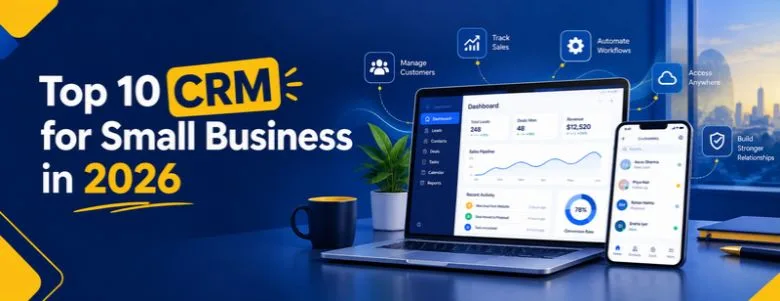
Choosing a CRM is not simply about finding the software with the longest feature list. For a small business, the right CRM should make it easier to manage leads, remember follow-ups, track deals, communicate with customers and understand what is happening in the sales pipeline without creating unnecessary complexity.
This guide compares 10 CRM options for small businesses in 2026, including free, affordable, sales-focused and scalable platforms. It also explains what to look for in a CRM for small business in India, the UK and the USA.
If you are looking for a ready-made CRM, the platforms below can help you shortlist one. If your business has a workflow that existing CRM products cannot handle, we also explain when building a custom CRM can make more sense.
Discover the top 10 CRM for small business in 2026, compare free and affordable options, and learn how to choose the right CRM for your sales, customer management and growth needs.
Table of Contents
- Quick Answer: Best CRM
- What Is CRM for Small Business?
- How We Evaluated CRM Software
- Top 10 CRM for Small Business
- CRM Comparison Table
- Best Free CRM in India
- CRM for Small Business in India
- CRM for Small Business UK
- CRM for Small Business USA
- Cheapest CRM: What to Compare
- Is a Low-Cost CRM Enough?
- Buy vs Build a CRM
- Prebuilt vs Custom CRM
- Why Choose WebGi Solutions
- Buy or Build: How WebGi Can Help
- CRM in 2026: What Has Changed?
- Questions to Ask Before Buying
- Common CRM Mistakes
- Frequently Asked Questions
- Final Checklist
- Final Takeaway
Quick Answer: What Is the Best CRM for Small Business?
There is no single CRM that is the right choice for every small business.
A freelancer may only need contact management and reminders. A growing sales team may need lead assignment, pipelines, email integration and reporting. A business operating across several countries may have additional requirements around integrations, data handling, currencies and compliance.
For example:
- Zoho CRM offers a free edition for up to three users and provides contact management, follow-up reminders, workflows, reports and mobile apps.
- Freshsales focuses strongly on sales engagement, including communication and sales activities.
- Pipedrive is designed around visual sales pipelines and deal management.
- HubSpot CRM is widely used by businesses that want CRM capabilities connected with marketing and customer-facing tools.
- Salesforce provides a broader platform for businesses that expect their requirements to become more complex.
- Zoho Bigin is designed as a simpler pipeline-focused option for smaller teams.
- monday CRM can appeal to businesses that want CRM processes combined with flexible work management.
- Bitrix24 combines CRM with collaboration and business-management functionality.
- Insightly provides CRM and project-management capabilities.
- EngageBay combines CRM with marketing and customer-engagement features.
The right decision depends on your team size, sales process, budget, integrations and how much customization you actually need. If you’re benchmarking software purchases across departments, our fleet management software comparison uses the same side-by-side approach.
What Is CRM for Small Business?
CRM for small business means customer relationship management software designed to help a smaller company organize customer information, leads, sales opportunities and follow-ups in one system.
Without a CRM, businesses often manage customer information across:
- Excel or Google Sheets
- Email inboxes
- WhatsApp conversations
- Phone records
- Paper notes
- Separate sales applications
- Individual employees’ memory
This can work when a business has only a few customers. As lead volume increases, however, it becomes harder to know which prospects were contacted, which deals are active and which follow-ups are overdue.
A CRM creates a central record for each customer or prospect.
Depending on the platform, this can include:
- Contact information
- Lead source
- Previous conversations
- Sales opportunities
- Follow-up dates
- Tasks
- Deal value
- Sales stage
- Emails
- Notes
- Customer-service interactions
- Reports and analytics
The objective is not simply to store customer names. The objective is to make customer and sales information easier to use.
How We Evaluated CRM Software for Small Businesses
A CRM can look impressive in a feature comparison and still be a poor choice for a five-person business.
For this guide, the important questions for a small-business buyer are — and the same evaluation logic applies whether you’re comparing CRMs or the vehicles and equipment in our 25 Best Fleet Management Software guide:
1. Is it easy to adopt?
A CRM that employees do not update regularly will not provide reliable information.
2. Does it solve the actual sales problem?
A business mainly struggling with missed follow-ups may not need an enterprise-level platform.
3. What does it cost as the team grows?
A low starting price does not necessarily mean a low long-term cost. Check user limits, premium features, storage, automation and required add-ons.
4. Does it integrate with existing tools?
Consider email, websites, forms, accounting software, calendars, telephony, messaging platforms and marketing tools.
5. Can it grow with the business?
The CRM should not become difficult to manage when your sales process becomes more sophisticated.
6. Can you customize the workflow?
Different businesses sell differently. A real-estate company, software company, clinic, agency and distributor may all require different sales stages.
7. Can you export your data?
Before choosing a CRM, understand how you can export contacts, deals, activities and other important information if you eventually migrate.
Top 10 CRM for Small Business in 2026
1. Zoho CRM — A Practical Starting Point for Small Teams
Zoho CRM is one of the better-known CRM platforms for small and growing businesses, particularly for companies looking for a combination of affordability, sales functionality and customization.
Zoho currently offers a free edition for up to three users. Its free offering includes contact management, follow-up reminders, workflow automation, email templates, tasks, meetings, calls, reports, APIs and mobile apps.
What makes Zoho CRM useful?
- Contact and lead management
- Sales pipeline management
- Follow-up reminders
- Workflow automation
- Reports
- Mobile applications
- Email integration
- Customization options
- API access
Zoho’s own documentation says its free edition is intended for individuals and small teams getting started with CRM.
Best suited for: Small businesses that want a relatively broad CRM platform without immediately moving into an expensive enterprise system.
2. HubSpot CRM — Useful for Businesses Connecting Sales and Marketing
HubSpot is commonly considered by small businesses that want CRM functionality alongside marketing, sales and customer-engagement capabilities.
Its ecosystem can be useful when a business wants to connect activities such as:
- Lead capture
- Contact management
- Email marketing
- Sales pipelines
- Forms
- Marketing campaigns
- Customer communication
Best suited for: Small businesses that want CRM and marketing activities to work together rather than using completely separate systems.
3. Freshsales — Sales-Focused CRM for Growing Teams
Freshsales is a CRM from Freshworks that focuses on sales activities and customer engagement.
Its capabilities include areas such as:
- Contact management
- Deal management
- Sales pipelines
- Phone
- Chat
- Sales automation
- Lead-related insights
Salesforce’s current small-business comparison also highlights Freshsales for multichannel engagement and lists features including phone, email, chat and automation.
Best suited for: Small sales teams that want communication and sales activity tools within their CRM.
4. Pipedrive — Sales Pipeline Management
Pipedrive takes a sales-pipeline-first approach.
Instead of overwhelming users with a large number of business modules, the platform is strongly associated with visual deal tracking.
A typical workflow might look like:
This makes it easier for sales teams to understand where active opportunities are.
Best suited for: Businesses where the primary CRM requirement is:
- Managing leads
- Tracking deals
- Monitoring sales stages
- Following up with prospects
- Understanding pipeline value
5. Salesforce — For Small Businesses Planning More Complex Growth
Salesforce is one of the largest CRM platforms and offers products designed for different business sizes.
Its small-business offering includes Salesforce Starter, while the broader Salesforce ecosystem provides extensive customization and expansion possibilities.
Salesforce’s current small-business comparison lists Salesforce Starter Suite among its small-business CRM options and positions it around growth and scalability.
Best suited for: Businesses that expect their CRM requirements to become more sophisticated and may eventually need:
- Advanced workflows
- Multiple teams
- Complex sales processes
- Extensive integrations
- Custom applications
- Detailed reporting
6. Zoho Bigin — Simpler CRM for Small Businesses
Zoho Bigin takes a more focused approach than a large enterprise CRM.
It is designed around pipeline management and is positioned by Zoho as a CRM for small businesses, freelancers and entrepreneurs.
This can make it attractive when a business wants to move away from spreadsheets without immediately adopting a large CRM platform.
Best suited for:
- Freelancers
- Small sales teams
- Startups
- Service businesses
- Businesses moving from spreadsheets
7. monday CRM — CRM Combined With Flexible Work Management
monday CRM can be considered by businesses that want customer and sales workflows to connect with a flexible work-management environment.
It can be useful for teams that already think in terms of:
- Boards
- Tasks
- Workflows
- Pipelines
- Team assignments
- Project activities
Best suited for: Small businesses that want flexibility in how their sales and customer workflows are organized.
8. Bitrix24 — CRM Plus Collaboration
Bitrix24 combines CRM capabilities with broader collaboration and business-management functions.
Depending on the plan and configuration, businesses can use it for areas such as:
- Leads
- Deals
- Contacts
- Tasks
- Team collaboration
- Communication
- Automation
Best suited for: Small companies looking for more than a standalone sales CRM and wanting several business functions within one ecosystem.
9. Insightly — CRM With Project Management
Insightly combines CRM and project-management capabilities.
This can be useful for service businesses where winning the customer is only the beginning of the process.
For example:
A CRM with project capabilities can help businesses connect sales information with post-sale work.
Best suited for:
- Agencies
- Consulting businesses
- Professional services
- Project-based companies
10. EngageBay — CRM With Marketing and Customer Engagement
EngageBay combines CRM with marketing and customer-engagement functionality.
This type of platform can be useful for businesses that want to manage more of the customer journey from one system.
Potential areas include:
- Contact management
- Lead management
- Email marketing
- Sales automation
- Customer engagement
- Landing pages
- Marketing workflows
Best suited for: Small businesses that want their CRM and marketing activities closely connected.
CRM Comparison for Small Businesses
| CRM | Useful For | Free / Low-Cost Starting Point | Customization |
|---|---|---|---|
| Zoho CRM | General small-business CRM | Yes | High |
| HubSpot CRM | Sales + marketing | Yes | High |
| Freshsales | Sales engagement | Yes/paid tiers | Medium–High |
| Pipedrive | Sales pipeline | Trial/paid | Medium |
| Salesforce | Growth and complex processes | Paid | Very High |
| Zoho Bigin | Simple CRM | Low-cost option | Medium |
| monday CRM | Flexible workflows | Paid/trial options | High |
| Bitrix24 | CRM + collaboration | Free/paid tiers | High |
| Insightly | CRM + projects | Trial/paid | Medium |
| EngageBay | CRM + marketing | Free/paid tiers | Medium–High |
What Is the Best Free CRM for Small Business in India?
If your requirement is specifically a best free CRM for small business in India, Zoho CRM deserves consideration because its current free edition supports up to three users and includes core CRM functions such as contact management, follow-up reminders, workflow automation, reports and mobile apps.
However, “free” should not automatically mean “best.”
Before choosing a free CRM, ask:
- How many users do I need?
- How many leads do I manage?
- Do I need WhatsApp or telephony integration?
- Do I need automated follow-ups?
- Do I need multiple sales pipelines?
- Do I need custom fields?
- Can I export my data?
- What happens when my business grows?
A free CRM is a good starting point when its limitations match your current needs.
CRM for Small Business in India
Indian businesses may have requirements that are different from those of businesses in other markets.
For example, an Indian small business may want:
- INR pricing
- GST-related information
- WhatsApp communication
- Local payment or accounting integrations
- Indian phone-number formats
- Local sales workflows
- Integration with existing Indian business software
- Support during Indian business hours
That does not mean every Indian business needs an India-specific CRM. Global platforms can also work well.
The better approach is to identify the actual workflow first and then check whether the CRM supports it.
CRM for Small Business UK
Businesses operating in the UK should consider both CRM functionality and data protection responsibilities.
UK businesses handling personal data need to consider the UK GDPR and Data Protection Act 2018, including how customer data is collected, used, stored, protected and retained. Business.gov.uk specifically advises businesses to understand the personal data they hold, collect only necessary information, keep data secure and explain how personal information is used.
When evaluating a CRM for a UK business, consider:
- Data processing
- Access controls
- Data export
- Data retention
- Security
- Privacy documentation
- Marketing consent
- Integrations
- User permissions
CRM for Small Business USA
US small businesses have a broad range of CRM options, from free tools to enterprise platforms.
When evaluating a CRM for a US business, consider:
- Sales pipeline requirements
- Email integration
- Lead capture
- Customer support
- Marketing integration
- Accounting integration
- Reporting
- API availability
- User permissions
- Data security
- Industry-specific requirements
The right choice depends more on the business workflow than on the company’s location alone.
Cheapest CRM for Small Business: What Should You Actually Compare?
Looking only at the monthly subscription price can be misleading.
Suppose CRM A costs less per user but requires additional paid applications for email, automation, reporting and integrations.
CRM B might cost more per user but include several of those capabilities.
The second option could potentially have a lower total cost for a particular business.
Therefore, compare total cost of ownership, including:
Also calculate the cost of employee time.
A CRM that costs $10 less per user but wastes several hours every month may not actually be the cheaper option.
Low-Cost CRM Software for Small Business: When Is It Enough?
A low-cost CRM can be sufficient when your business mainly needs:
- Contact management
- Lead tracking
- Deal stages
- Follow-up reminders
- Basic reporting
- Email integration
You may not need advanced customization immediately.
But if your sales process includes unusual rules, multiple departments, complex approval workflows, industry-specific fields or integrations that standard CRM products cannot handle, the calculation changes.
That is where the buy vs. build decision becomes important.
When Should You Buy a CRM and When Should You Build One?
Most small businesses should first investigate existing CRM software before paying for custom development.
A prebuilt CRM can provide a working system without the time and cost of developing every feature from scratch.
However, buying software is not always the end of the decision.
Some businesses eventually discover that their process does not fit neatly inside a standard CRM.
For example:
- A company has a highly specific sales workflow.
- Different teams require different dashboards.
- The CRM needs to connect with a proprietary application.
- Leads must move automatically between several internal systems.
- The business needs custom approval workflows.
- Customer data needs to be synchronized with an existing database.
- The company wants a customer portal.
- The CRM must support a specialized industry workflow.
- The business wants complete control over its application and future development.
In these situations, custom CRM development can be worth evaluating.
Prebuilt CRM vs Custom CRM
| Requirement | Prebuilt CRM | Custom CRM |
|---|---|---|
| Quick setup | Usually faster | Usually slower |
| Initial development | Not required | Required |
| Monthly subscription | Usually yes | Depends on hosting/support model |
| Custom workflow | Limited by platform | Designed around your process |
| Integrations | Existing integrations/APIs | Can be developed specifically |
| UI customization | Usually limited | Full control |
| Unique business rules | May require workarounds | Can be built directly |
| Maintenance | Vendor-managed platform | Development/support required |
| Scalability | Depends on vendor | Designed around requirements |
| Ownership/control | Platform-dependent | Greater control over custom application |
Neither option is automatically better.
The correct question is:
Why Choose WebGi Solutions for Custom CRM Development?
If you are looking for a prebuilt CRM, WebGi Solutions is not presented as a replacement for Zoho, HubSpot, Salesforce or another established CRM product.
That distinction matters. Visit our homepage to see the full range of digital growth and technology services we offer alongside custom development.
WebGi Solutions can instead help businesses that want to build a CRM around their own workflow.
A custom CRM project can be planned around requirements such as:
- Lead management
- Customer management
- Sales pipeline
- Follow-up management
- Employee access
- Role-based permissions
- Custom dashboards
- Reporting
- Workflow automation
- Email integration
- Website lead capture
- API integrations
- Third-party software integration
- Customer portals
- Mobile-friendly interfaces
- AI-powered features
- Custom business rules
The starting point should not be “What features can we put into the CRM?”
It should be:
That approach helps prevent businesses from paying for unnecessary features.
How WebGi Can Help You Decide: Buy or Build?
You do not necessarily need to build a CRM just because your business needs customization.
A practical evaluation can follow this process:
Step 1: Understand your workflow
Document how a lead becomes a customer.
For example:
Step 2: Identify the limitations
Check whether an existing CRM can handle the process.
Step 3: Calculate the actual cost
Consider:
- Subscription
- Users
- Integrations
- Add-ons
- Migration
- Training
- Implementation
- Support
Step 4: Identify unique requirements
List the functions that standard CRM platforms cannot handle easily.
Step 5: Compare buy vs build
Only after this comparison should custom CRM development be considered.
This creates a more transparent decision than simply telling every business that it needs a custom CRM.
CRM for Small Business in 2026: What Has Changed?
CRM software is increasingly moving beyond basic contact databases.
Modern CRM platforms can include:
- AI-assisted sales insights
- Automated follow-ups
- Lead scoring
- Workflow automation
- AI-generated content
- Conversational interfaces
- Predictive analytics
- Customer-service automation
- API-based integrations
But AI should not become a reason to buy software without understanding the underlying workflow.
Questions to Ask Before Buying a CRM
Before signing up for a CRM, ask these questions.
Does the CRM fit our sales process?
Do not change your entire business process simply to accommodate a software platform unless there is a clear business reason.
How many users will we have?
Check whether the price increases significantly as your team grows.
What happens when we need more automation?
Understand which automation features are available at your current plan.
Can we export our customer data?
Data portability matters if you eventually change platforms.
What integrations do we need?
Make a list before purchasing.
Will employees actually use it?
A complicated CRM with poor adoption is unlikely to deliver its expected value.
How secure is the customer data?
Review permissions, access control, authentication and vendor security documentation.
What happens if the vendor changes pricing?
Consider the long-term cost, not just the introductory price.
Common CRM Mistakes Small Businesses Make
Choosing Based Only on Price
The cheapest CRM is not necessarily the lowest-cost solution.
Buying Too Many Features
More features can create more training, configuration and administration.
Ignoring User Adoption
If employees continue using spreadsheets and personal notes, the CRM will not contain reliable information.
Not Planning the Sales Pipeline
A CRM should reflect how your business sells.
Forgetting Data Migration
Moving historical contacts and deals can become a major project if it is not planned.
Ignoring Integrations
Your CRM rarely works alone. Websites, email, accounting, marketing and communication tools may need to connect.
Building Custom Software Too Early
Frequently Asked Questions About CRM for Small Business
What is CRM for small business?
CRM for small business is software that helps companies organize contacts, leads, deals, follow-ups and customer interactions in one system.
What is the best CRM for small business in 2026?
There is no universal best CRM. The appropriate option depends on business size, sales process, budget, integrations, required features and future growth.
What is the best free CRM for small business in India?
Zoho CRM is one option worth evaluating because its current free edition supports up to three users and includes core CRM functions. Other CRM platforms also offer free plans or trials, so compare their current limits before choosing.
What is the cheapest CRM for small business?
The cheapest option depends on the number of users and features required. A free plan may be sufficient for a very small team, while a low-cost paid CRM may provide better functionality as the business grows.
Is a free CRM enough for a small business?
It can be. If your business mainly needs contact management, basic lead tracking and follow-ups, a free CRM may be enough.
Should a small business use Zoho CRM?
Zoho CRM can be considered when a small business wants contact management, sales tracking, automation and reporting with an option to start with a free edition. The decision should still be based on your actual workflow.
Should I use a CRM or Excel?
Excel can work for a very small number of customers and simple tracking. A CRM becomes more useful when you need structured lead management, reminders, multiple users, sales pipelines, reporting or automated workflows.
When should a small business build a custom CRM?
Consider custom development when existing CRM platforms cannot efficiently support important business workflows, integrations or specialized requirements.
How much does custom CRM development cost?
There is no meaningful single price without understanding the requirements. A basic internal CRM and a multi-user CRM with integrations, automation, dashboards and customer portals can have very different development scopes. The right approach is to define the required modules first and then estimate development, hosting, maintenance and support.
Final Checklist: Choosing a CRM for Your Small Business
Before purchasing, make a simple checklist:
Business Requirements
- What problem are we trying to solve?
- How many users need access?
- How many leads do we manage?
- What does our sales pipeline look like?
Features
- Contact management
- Lead management
- Deal tracking
- Follow-up reminders
- Automation
- Reporting
- Integrations
- Mobile access
Financial
- Monthly/annual subscription
- User costs
- Add-ons
- Integration costs
- Implementation
- Training
- Support
Technical
- API availability
- Data export
- Security
- Permissions
- Integration capability
- Scalability
Future
- Will the CRM still work when the business doubles?
- Can additional users be added?
- Can the workflow be customized?
- Can data be migrated later?
Final Takeaway
The right CRM for small business in 2026 is not necessarily the platform with the most features or the lowest advertised price.
For some businesses, a free CRM is enough.
For others, a sales-focused platform such as Pipedrive or Freshsales may fit better. Businesses wanting broader ecosystems can consider platforms such as Zoho, HubSpot or Salesforce. A simpler option such as Zoho Bigin may make sense when a full-scale CRM feels unnecessarily complex.
And when a business has a workflow that existing CRM software cannot accommodate efficiently, custom CRM development becomes another option worth evaluating.
The important thing is to start with the business process, not the software name.
If you want to buy a prebuilt CRM, compare the platforms based on your requirements. If you need a CRM designed around your own workflow, integrations or business rules, WebGi Solutions can help you plan and develop a custom CRM solution rather than forcing your process into an off-the-shelf platform. If your software evaluation extends to marketing tools as well, our 12 Best SEO Software for Small Business guide follows the same comparison approach.